
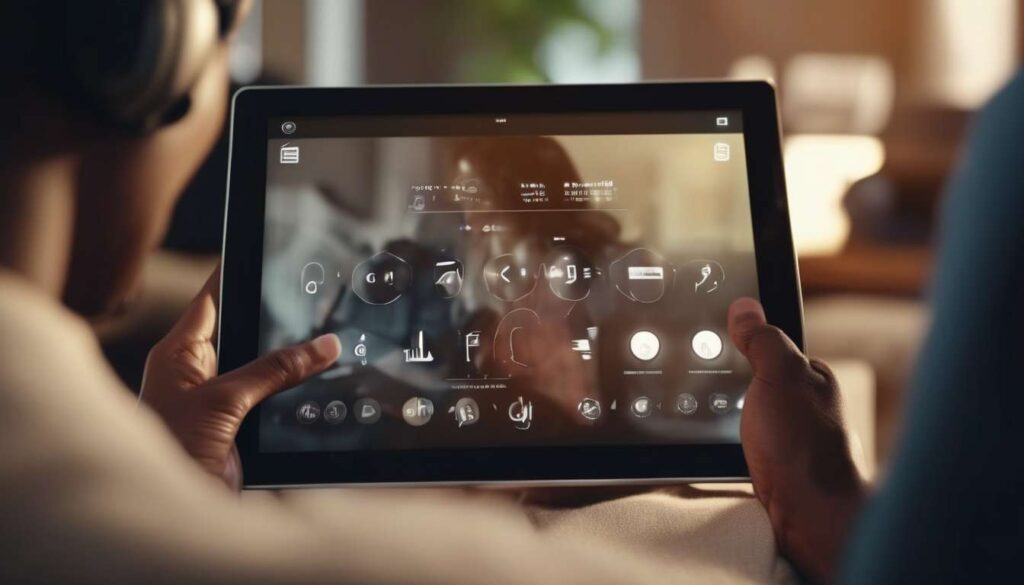
Unseen barriers still determine who can enjoy online content, and we must ask: are adult platforms doing enough to include everyone?
As creators, designers, and users, we confront ethical, legal, and practical questions about accessibility that extend beyond compliance checklists.
We recognize that features like adjustable captions, screen-reader-friendly navigation, customizable contrast, and clear content warnings do more than meet standards — they transform user experience for people with disabilities, older adults, and anyone seeking privacy or ease.
By centering inclusive design, we expand audience reach, foster trust, and reduce harm without compromising consent or safety.
This article explores how intentional accessibility improvements enhance usability, respect diverse bodies and minds, and create equitable access to adult content.
Together, we’ll examine concrete strategies, real-world examples, and measurable benefits, and consider how platforms can balance innovation, regulation, and dignity while improving experience for every user.
Legal and Ethical Imperatives
We must ensure adult content platforms meet legal accessibility requirements and uphold ethical duties to provide equal access for users with disabilities.
Accessibility compliance is not optional; it is a shared responsibility that affirms everyone’s right to participate.
We commit to building welcoming spaces by adopting inclusive design practices from the start, not as an afterthought.
We prioritize captioning and transcripts so users who are deaf or hard of hearing can engage fully.
We maintain clear documentation and remediation processes to meet legal standards.
We collaborate across teams to interpret requirements responsibly and translate them into concrete features that respect privacy and dignity.
- Legal, product, and community teams work together to align compliance and user experience.
- Cross-team collaboration helps ensure technical solutions and policies are feasible and enforceable.
We listen to users with disabilities to ensure solutions truly work in context.
- Solicit feedback through testing, interviews, and advisory groups.
- Iterate on features based on real-world use and accessibility testing.
By centering accessibility compliance alongside community values, we strengthen trust, reduce legal risk, and create a platform where everyone can belong and participate with confidence.
Inclusive Design Principles
We prioritize designing features that work for the widest range of users from the start, so people with different abilities can use the platform independently and with dignity.
We commit to inclusive design as a guiding principle, involving diverse users in research, testing, and decision-making so everyone feels seen and safe. We balance accessibility compliance with real-world usability, treating guidelines as a baseline rather than the finish line.
We iterate interfaces to reduce barriers, focusing on:
- clear navigation
- consistent controls
- adjustable text and contrast
- voice-friendly flows
We make choices that respect privacy and consent while ensuring features are discoverable and predictable.
We document patterns and train teams so accessibility becomes part of our product DNA, not an afterthought. This includes:
- creating and maintaining accessible design patterns and components
- providing regular training and resources for product and engineering teams
- embedding accessibility checks into the development lifecycle
We integrate multimodal support and consider cognitive load to help users stay focused and comfortable.
By centering community feedback and measurable goals, we create a platform where belonging is built in. Technologies like captioning and transcripts are implemented thoughtfully as part of a broader inclusive design strategy.
Captioning and Transcripts
We provide accurate, synchronized captions and searchable transcripts so users can follow, skim, and revisit audio content on their own terms.
We prioritize captioning and transcripts as essential tools that signal we see and value every user.
By delivering clear speaker labels, nonverbal cues, and precise timing, we help people connect with content whether they’re in public, have hearing differences, or prefer reading.
This isn’t optional—it’s part of accessibility compliance and inclusive design, and it reflects our commitment to equitable access.
We keep files machine-readable and easy to export.
- Users can toggle captions.
- Users can resize text.
- Users can download transcripts for study or privacy.
We also audit caption accuracy regularly and welcome community feedback, because belonging grows when people shape the experience.
Ultimately, captioning and transcripts are practical accessibility features that improve comprehension, searchability, and trust, reinforcing that everyone deserves full participation in the content we create.
Screen Reader Optimization
We optimize interfaces and content so screen readers convey clear structure, meaningful labels, and concise navigation cues.
- This lets users move through and understand material efficiently.
- We ensure headings, lists, and landmarks are coded semantically so people who rely on assistive tech feel welcomed and in control.
- We write descriptive alt text, meaningful link text, and apply ARIA only where necessary, keeping interactions predictable and respectful of privacy.
We pair screen reader work with inclusive design and user consultation.
- We consult users with diverse needs to refine flow and eliminate surprises.
- We keep instructions concise and avoid jargon to reduce cognitive load.
We connect screen reader paths to other media and provide synchronized access to context.
- For audio and video, we provide captions and transcripts.
- We include context, metadata, and timestamps so users don’t have to guess.
We validate and iterate through testing to catch gaps early.
- Test with real users representing diverse needs.
- Use automated tools to surface technical issues.
- Address findings promptly and re-test.
By committing to these measures, we create an environment where users belong, navigate confidently, and access content equitably.
Sensory and Cognitive Support
We provide adaptable controls and clear content structures so users with sensory or cognitive differences can perceive, understand, and interact with adult materials without unnecessary friction.
We prioritize inclusive design by offering adjustable playback speeds, contrast options, simplified navigation, and consistent layouts that reduce cognitive load.
We ensure accessibility compliance across media types by integrating:
- keyboard support
- focus indicators
- predictable interactive elements
We include captioning and transcripts for audio and video—not only for hearing access but to support comprehension, searching, and content previewing.
We offer readable text sizes, plain‑language summaries, and optional content warnings that let users make informed choices without surprises.
We test interfaces with diverse users and iterate on feedback, sharing improvements openly so the community sees their needs reflected.
By combining technical standards with empathy, we create experiences that respect attention, reduce sensory overwhelm, and help people engage on their terms while maintaining dignity and belonging.
Privacy and Consent Tools
We give users clear, granular controls over who sees their activity and personal data, and we make consent choices easy to find, understand, and change.
Privacy settings follow inclusive design principles so everyone feels respected and safe.
Clear labels, plain language, and progressive disclosure let members choose visibility, data retention, and sharing with confidence.
Consent flows are tied to accessibility compliance to ensure screen readers, keyboard navigation, and sufficient contrast work for privacy dialogs.
We provide easy ways to download, correct, or delete personal data, and we document these actions in plain terms.
For media, we offer captioning and transcript controls alongside privacy options, so users can opt into accessibility features without sacrificing anonymity.
Consent logs are readable and exportable, reinforcing trust within our community.
We regularly test flows with diverse users, iterate on feedback, and publish summaries of our practices so people know we’re accountable and committed to belonging, dignity, and transparent control over their experience.
Implementation details and user-facing elements include:
-
Granular controls
- Visibility settings per content type (posts, profile fields, activity).
- Retention settings for saved data and content.
-
Accessible consent flows
- Screen-reader–friendly dialog structure.
- Keyboard navigation and focus management.
- Sufficient color contrast and scalable text.
-
Plain-language documentation
- Step-by-step guides for downloading, correcting, and deleting data.
- Exportable, human-readable consent logs.
-
Media and anonymity
- Toggleable captions and transcripts.
- Options to remove or anonymize identifying metadata.
-
Testing and accountability
- Regular usability testing with diverse participants.
- Public summaries of privacy practices and iteration history.
These measures ensure users have understandable, accessible, and reversible control over their data and privacy settings.
Performance Metrics and ROI
We will measure clear, relevant performance metrics that tie accessibility improvements to user engagement, retention, and ROI.
Metrics to track:
- Conversion rates (before and after accessibility updates)
- Session duration and time-on-content
- Churn reduction
- Support ticket volume
- Completion rates for video/audio content
Why these matter: tracking these shows direct links between accessibility work and business outcomes like increased subscriptions and reduced support costs, as well as human outcomes such as greater inclusion and satisfaction.
We will include accessibility compliance benchmarks and audit score changes to show risk reduction and legal alignment.
What to report:
- Compliance checklist pass/fail and scores from audits
- Trends in audit scores over time
- Identified risks and mitigation status
We will correlate inclusive design efforts (improved navigation, readable content) with behavioral outcomes.
Analyses to run:
- Cohort analysis to isolate accessibility-driven improvements
- A/B tests where feasible to validate causality
- Referral and repeat-visit tracking to demonstrate community value
We will monitor uptake and effectiveness of captions and transcripts for video/audio.
Specific measurements:
- Time-on-content and completion rates for captioned vs non-captioned media
- Search-driven traffic from text indexes (transcripts enabling discoverability)
- Usage/engagement differences by user segment (e.g., regional, assistive-tech users)
We will report ROI in monetary and human terms, and provide transparent dashboards for accountability.
Reporting formats and cadence:
- Monthly dashboard with key KPIs and trends
- Quarterly deep-dive reports including A/B and cohort analyses
- Executive ROI summaries (monetary + human impact) each quarter
Outcome: transparent, data-driven evidence that accessibility investments improve engagement, reduce risk, lower costs, and increase inclusion — with shared dashboards so everyone can track progress and sustain gains.
Implementation Roadmap
Overview — phased implementation roadmap
We’ll create a phased implementation roadmap that sequences audits, design updates, engineering sprints, and measurement checkpoints to deliver accessibility improvements predictably and with measurable impact.
Phase 1 — Baseline audit
First, run a baseline audit to identify gaps in accessibility compliance and prioritize fixes that affect the most users.
Phase 2 — Inclusive design workshops
Next, workshop inclusive design patterns with cross-functional teams so everyone feels invested and represented in the outcome.
Phase 3 — Engineering sprints (core elements)
Then schedule engineering sprints focused on core elements:
- Keyboard navigation
- Semantic markup
- Color contrast
- Captioning and transcripts for all media
Phase 4 — QA and community validation
Pair each sprint with QA that includes:
- Assistive technology testing (screen readers, switch devices, etc.)
- Community feedback sessions to ensure practical usability
Measurement checkpoints and KPIs
We’ll track progress against clear KPIs—completion rate, error reduction, and user-reported satisfaction—and adjust the roadmap at each measurement checkpoint.
Communication and stakeholder engagement
Throughout, maintain transparent communication so team members and stakeholders feel included, understand trade-offs, and celebrate milestones as collective achievements toward lasting accessibility improvements.
How can accessibility features be tailored specifically for different genres of adult content (e.g., erotica, educational sex-positive content, fetish content) without stigmatizing users?
We will tailor accessibility by consulting diverse users and experts for each genre’s needs, keeping options optional and discreet.
We will offer customizable captions, content warnings, sensory adjustments, and clear metadata so people can set preferences without judgment.
We will use inclusive language, community-led guidelines, and privacy-preserving defaults to normalize varied interests.
We will train staff to avoid assumptions and promote respectful access that affirms belonging and autonomy for all users.
What are best practices for moderating user-generated accessibility contributions (such as community-created captions or descriptions) to ensure accuracy, safety, and respect for creators?
We’ll treat the question about moderating user-generated accessibility contributions as a community care issue.
We’ll set clear guidelines, require contributor consent, and use combined human and automated review to check accuracy and safety.
We’ll offer training, feedback, and appeals, anonymize sensitive submissions, and honor creators’ preferences.
We’ll prioritize respectful language, regular audits, and transparent moderation logs so everyone feels seen, safe, and supported.
How should platforms handle accessibility for live adult-streaming events, including real-time captioning, moderation, and rapid consent management?
We should treat live adult-streaming accessibility as essential.
Key accessibility measures will include:
- Low-latency captions to ensure viewers who are deaf or hard of hearing can follow streams in near real time.
- Human-review overlays for accuracy so captions are checked and corrected when needed.
- Use of vetted captioners or secure AI captioning with editor checks to balance speed and reliability.
Safety and moderation must be enforced in real time.
Required tools and processes:
- Real-time moderation tools to detect and address policy violations.
- Fast takedown flows to remove problematic content quickly.
- Clear consent toggles for performers that can be updated midstream, ensuring performers can control what happens during a broadcast.
Staff training and privacy protections are essential.
Operational commitments:
- Train staff in respectful handling of performers and sensitive situations.
- Maintain strong privacy protections for both performers and viewers.
- Invite community feedback so everyone feels safe and included.
Conclusion
Prioritize accessibility in adult content not only because it’s legally and ethically right, but because it expands reach and improves user satisfaction.
Apply inclusive design by providing:
- Clear captions for video content.
- Transcripts for audio.
- Screen reader support and semantic markup.
- Sensory and cognitive options (adjustable contrast, simplified layouts, alternatives to flashing/fast-moving media).
Respect privacy and consent while making content accessible — ensure tools and metadata don’t expose identities or sensitive details, and obtain explicit consent for any accessibility-related data collection.
Track performance and ROI to justify investment:
- Measure engagement metrics (views, time on page, repeat visitors).
- Monitor accessibility-specific outcomes (assistive-tech usage, error reports).
- Compare conversion or subscription rates before and after changes.
Follow a practical implementation roadmap:
- Audit current content for accessibility gaps.
- Prioritize fixes that yield the biggest impact with the least effort.
- Implement changes iteratively and test with real users, including people who use assistive technologies.
- Train staff on accessible practices and maintain ongoing monitoring.
Benefits: increased usability for more people, higher engagement and retention, and a stronger, more responsible brand reputation.